
Translate a full sentence and listen to its pronunciation
Translating an isolated word can produce a meaning that does not fit the conversation. Enter a complete sentence to provide context, then listen if you need to say it aloud. Start with straightforward wording…
Before you begin
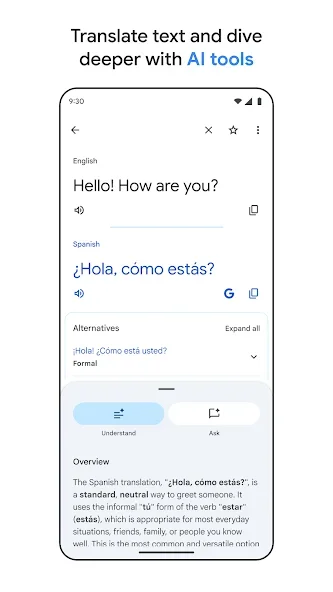
Translating an isolated word can produce a meaning that does not fit the conversation. Enter a complete sentence to provide context, then listen if you need to say it aloud. Start with straightforward wording before attempting a long message with several different points.
Check the source and target languages before using a translation. Short text without context can have several meanings, while names, addresses and technical terms may not need translating. Use a complete sentence where possible. Compare numbers and units with the original, and seek clarification when the result will guide an important action or could easily cause a misunderstanding.
Follow these steps
Follow this sequence in the Android app.
- Open Translate and choose the source language on the left and target language on the right. Check the direction before entering the sentence you want to understand or communicate.
- Type a complete sentence with clear spelling and punctuation. Review names, quantities and abbreviations that could have several meanings before requesting or reading the translated result.
- Read the output and use Listen to hear its pronunciation. Repeat unclear passages and compare them with the displayed text so that the sounds you copy remain connected to the meaning.
- If speech is too fast, open Settings and find the voice speed option. Choose a slower setting, then play the same sentence again to compare how easily it can be understood.
Check the result
Reversing a translation can help check its general meaning but does not prove the original output is fully accurate. For an important instruction, restate the message simply and ask the other person to confirm before acting on the translated wording.