Tidy your Downloads folder with File Manager +
Organise documents, photos, archives and installers in File Manager +. Copy a small set of files, verify the copies, then remove unwanted duplicates.
Apps and games in this article
Check the version, file format and installation steps before downloading.
 File Manager +APK · v3.8.5 · 23.1 MBView details and downloads →
Purpose and preparation
A Downloads folder often mixes documents, photos, archives and installation packages. Tidying it is easier when you choose destination folders first and check copies before deleting anything. This guide starts with a small group of files as a trial.
App screenshots
Suggested steps
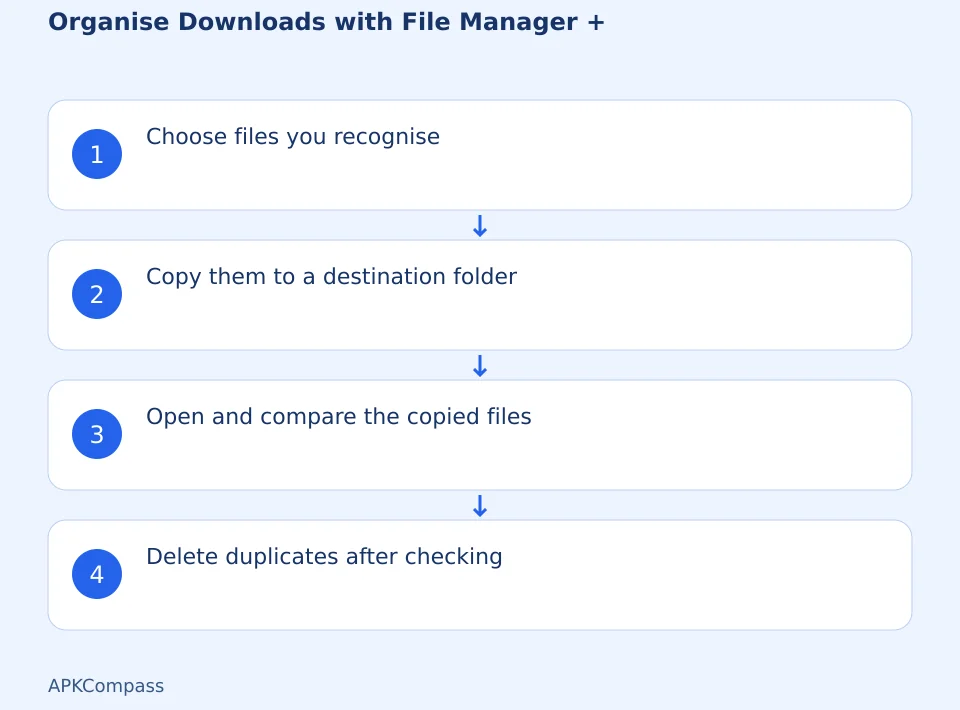
When organising Downloads, first group documents, photos and APKs. Copy important files to their destination, check the results, then delete duplicates that you no longer need.
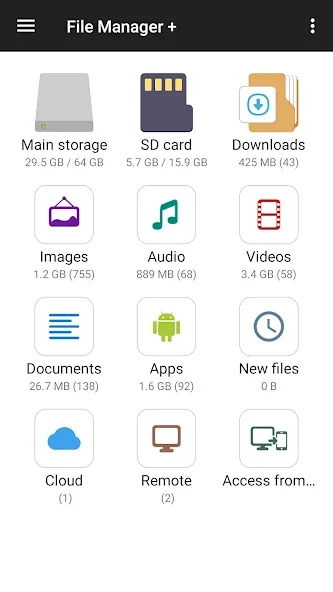
- Open Downloads and select a few documents whose types and purposes you already recognise.
- Create a destination folder with a descriptive name, such as work documents or event photos, instead of simply calling it a new folder.
- Copy the selected files to the destination. Start with copying so the originals remain available while you check the results.
- Open several copied files and compare the file count. Delete the original duplicates only when you are sure the destination files are complete.
Check the result before continuing
The aim is to make files easier to find, rather than merely increase free space. Stop if you encounter permissions you do not understand or cannot open the destination folder. Do not include system folders in a bulk cleanup just because they are large.
Storage access depends on Android permissions and connected devices. Cloud or network storage needs the appropriate setup and connection; installing the APK does not automatically connect those accounts.