
Pause saving YouTube search history
Trial searches or one-time topics can become part of account history. If you do not want upcoming searches recorded, inspect the history controls before searching. Pausing collection is different from removing…
Apps and games in this article
Check the version, file format and installation steps before downloading.
 YouTubeAPK · v21.41.525 · 198.7 MBView details and downloads →
Before you begin
Trial searches or one-time topics can become part of account history. If you do not want upcoming searches recorded, inspect the history controls before searching. Pausing collection is different from removing all activity that was already saved earlier.
Check the active account and the open video before changing YouTube settings. Player controls, saved collections and history serve different purposes, so use the menu that matches your goal. For a tutorial, compare the same passage when checking results. Watch on-screen text as well as listening, so a viewing adjustment does not make you miss an important part of the explanation.
App screenshots
Follow these steps
Follow this sequence in the Android app.
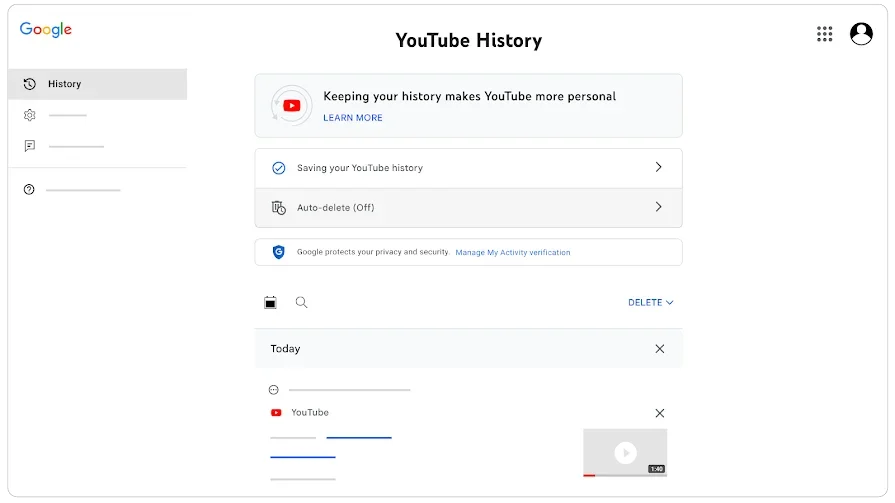
- Open YouTube using the account whose history you want to manage. Tap your profile picture, then Settings and Manage all history so the controls apply to the intended account.
- Open the Controls tab and locate Include your searches on YouTube. Turn off that inclusion if your goal is to stop subsequent searches from being stored in the account's search history.
- Return to YouTube and search as needed. Remember that pausing affects history collection; it does not automatically remove search terms that had already been saved before the change.
- To inspect older activity, reopen history and look for a particular search. Select the entry carefully before deleting it and read the scope described in any confirmation that appears.
Check the result
Deleting history for a selected time range can also delete watch history from that same period. Do not use a bulk deletion merely to pause new searches. Revisit the controls later if you decide that upcoming searches should be saved to the account again.