
Find files by name and type in Files by Google
A recent download can become buried among many other files. Start with a recognizable part of its name, then narrow by type or date. Inspect the results before downloading again so storage does not fill with…
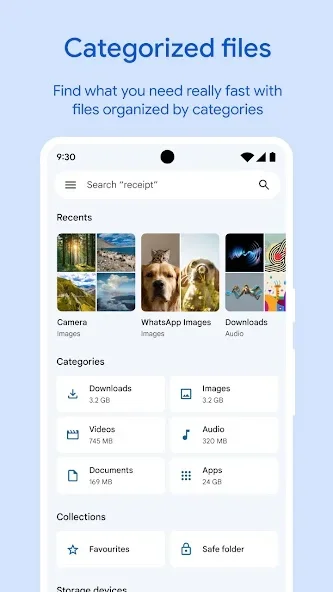
Before you begin
A recent download can become buried among many other files. Start with a recognizable part of its name, then narrow by type or date. Inspect the results before downloading again so storage does not fill with unnecessary duplicate copies.
Check a file's name, type and location before choosing an action in Files by Google. Similarly named documents may contain different versions, so inspect a preview when unsure. Avoid selecting everything when you need only one result. For important documents, verify that an accessible copy exists before deleting or moving the only file you currently hold.
Follow these steps
Follow this sequence in the Android app.
- Open Files by Google and tap the search bar at the top. Enter a distinctive part of the filename, such as an event name or document number actually present in that name.
- Choose a file-type filter when available, such as documents or images. Add a date filter if you remember when the file was created or downloaded to make the results easier to inspect.
- Open a promising result and check its contents, not just its name. If nothing matches, tap the active filter again to remove it before trying a broader search term.
- If searching file contents fails, check whether Smart Search is available on the device. Scanning can take several days after updating the app; ordinary filename search remains the basic alternative.
Check the result
Smart Search can inspect information inside files on supported devices, but availability varies. With the feature disabled, searches use filenames only. Do not delete documents or repeatedly download them merely because content-based search has not produced a result yet.