
Create an Instagram Note and choose its audience
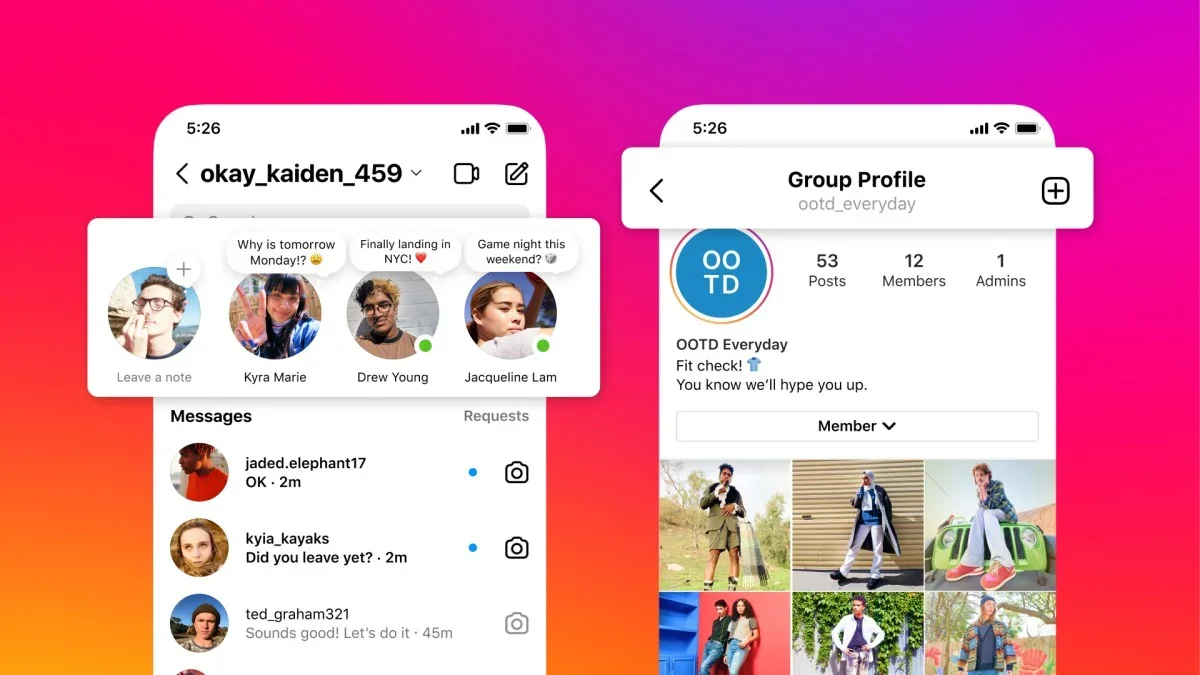
Instagram Notes suit short messages in the inbox, such as when you are available to chat.
Before you begin
Instagram Notes suit short messages in the inbox, such as when you are available to chat. Keep the message focused on one point, then decide whether mutual followers or your Close Friends list should receive it.
Follow these steps
Check that the active Instagram profile is the account you intend to use. If you manage several accounts, inspect the name and profile picture first. Menus may differ by app version, language and personal or professional account type.
- Open the Instagram inbox and look for the Notes area near the top. Select your profile note to compose a message if the feature is available.
- Write a short message with one clear purpose. Read it again to make sure it does not depend on information the audience will not understand.
- Choose an available audience, such as followers you follow back or Close Friends. Review the Close Friends membership first when using that option.
- Share the Note and inspect how it appears in the inbox. Follow replies through conversations and remove the Note if its information is no longer relevant.
Check the result
Notes are temporary and are not a reliable place for a lasting announcement. Send important details directly when needed. If Notes are missing, check app updates and account availability without installing unrelated apps to unlock the feature.
Audience restrictions help control access on Instagram but cannot prevent recipients from saving or resharing information. Before uploading, check for other people's faces, addresses and personal details that may appear in the image.