
Create an easy-to-check shopping list in ColorNote
Build a ColorNote shopping checklist with one product per item, keeping quantities and sizes together so you can review the list easily in the shop.
Apps and games in this article
Check the version, file format and installation steps before downloading.
 ColorNoteAPK · v4.9.4 · 6.1 MBView details and downloads →
Purpose and preparation
A good checklist separates the things to buy from additional details such as quantities or sizes. Putting one product in each item makes the list easier to check in a shop. Use colour to distinguish active lists, rather than as a substitute for a clear note title.
App screenshots
Suggested steps
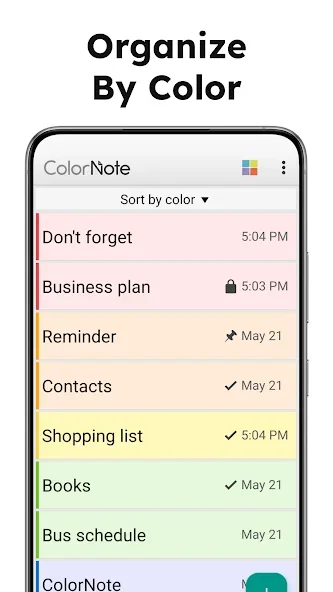
Assign a colour to each group of notes so lists are easy to scan. Choose checklist mode for ordered tasks, and set reminders only for items that have a deadline.
- Create a list for your planned shopping trip and give it a name that distinguishes it from previous lists.
- Add one product per item. Keep its quantity or size in the same item so the information stays together when you read it.
- Tick the relevant item after obtaining the product. Check the list again before paying so unticked items are not overlooked.
- After the trip, review the list before using it again. Remove or change products that will not be needed on your next visit.
Check the result before continuing
A short, specific list is usually easier to check than one long paragraph. Split an item containing several products into separate entries so a completion tick is not misleading. Also check the note title before editing, to avoid changing a list for another activity.
Configure backup and synchronisation before changing devices. Notification permission and battery settings can affect whether reminders appear.