
Create a private YouTube playlist for learning
A playlist groups videos for one activity, such as learning editing or troubleshooting an app. Decide on the collection's purpose before adding videos so it stays relevant. Choose private visibility if the…
Apps and games in this article
Check the version, file format and installation steps before downloading.
 YouTubeAPK · v21.41.525 · 198.7 MBView details and downloads →
Before you begin
A playlist groups videos for one activity, such as learning editing or troubleshooting an app. Decide on the collection's purpose before adding videos so it stays relevant. Choose private visibility if the list is for your own use and does not need sharing.
Check the active account and the open video before changing YouTube settings. Player controls, saved collections and history serve different purposes, so use the menu that matches your goal. For a tutorial, compare the same passage when checking results. Watch on-screen text as well as listening, so a viewing adjustment does not make you miss an important part of the explanation.
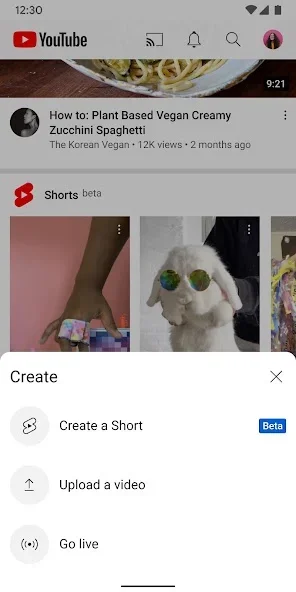
App screenshots
Follow these steps
Follow this sequence in the Android app.
- Open the first video and choose Save from the controls below it. Read the confirmation carefully because YouTube may save it to the playlist you used most recently.
- Choose Change on the confirmation to select the correct destination. Create a new playlist and give it a descriptive learning title rather than a vague name that will be difficult to distinguish later.
- Set its privacy to private if only you need to see it, then create the collection. Save a few related videos and verify the destination each time you add another one.
- Open the You tab or the playlists section of your profile to inspect the result. Arrange the material logically, placing an introduction before more advanced steps that depend on it.
Check the result
A playlist stores a collection of video links; it does not automatically download everything. A video that is later removed or restricted may become unavailable. Check the list before a study session and distinguish completed material from topics you still need to learn.