
Comment on Google Docs text without rewriting it
Comments let you provide feedback without immediately replacing the owner's wording. Select the relevant passage so readers know what is being discussed. Make the suggested change concrete, particularly when…
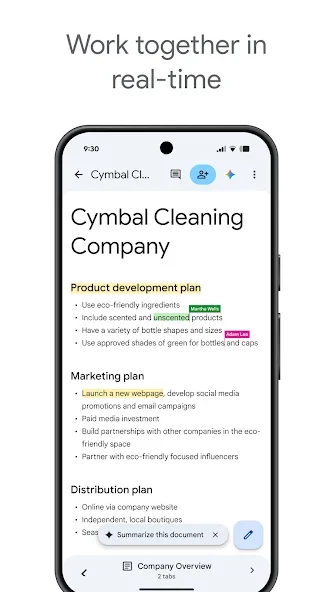
Before you begin
Comments let you provide feedback without immediately replacing the owner's wording. Select the relevant passage so readers know what is being discussed. Make the suggested change concrete, particularly when several people are reviewing the document from their phones.
Check the document title and Google account before editing. A shared file may grant viewing, commenting or editing permission, which affects the controls available. For collaborative documents, agree on the intended change and avoid replacing another person's work without context. Review the result in the document itself, since the cursor's editing position does not always show the full page layout.
Follow these steps
Follow this sequence in the Android app.
- Open the document with an account that has commenting or editing permission. Select the word or sentence to discuss so the comment is attached to the right passage rather than an unrelated section.
- Open More and choose Add Comment. Explain the problem and intended improvement, then send it after checking that the comment does not contain private remarks unrelated to the review.
- To inspect other discussions, open the comment control at the top and swipe between threads. Reply within the existing thread so follow-up explanations are not scattered into separate conversations.
- Once the feedback is handled, inspect the document itself before resolving the comment. If the comment's wording needs correction, use its Edit action and save the revised text.
Check the result
Resolving a comment is different from editing the document's contents. Verify the actual change before closing the discussion. When mentioning someone by name or email, check the recipient because mentions can generate notifications; avoid tagging people who do not need to participate.