
Clear Telegram cached media while keeping useful downloads
Telegram’s cache can hold large amounts of media you have viewed.
Apps and games in this article
Check the version, file format and installation steps before downloading.
 TelegramAPK · v12.10.1 · 119.4 MBView details and downloads →
Before you begin
Telegram’s cache can hold large amounts of media you have viewed. Review storage inside Telegram before changing Android app data. Cache management and deleting a conversation are different actions with different consequences.
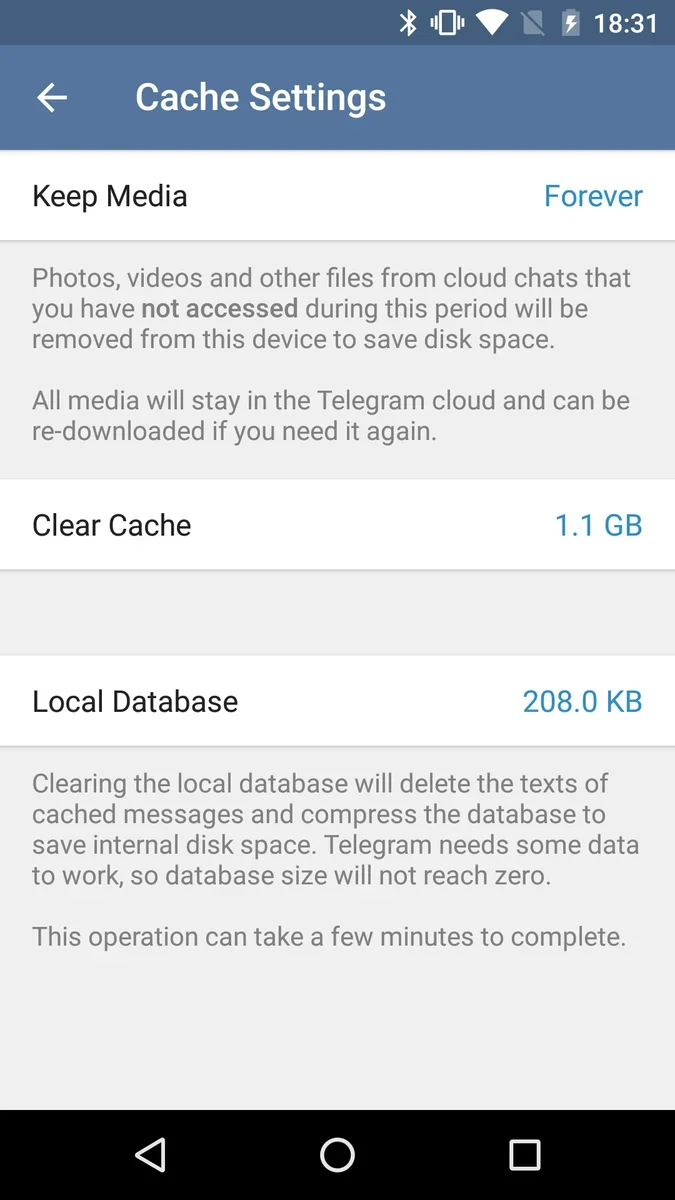
App screenshots
Follow these steps
Check the active Telegram account and use conversations you recognize when trying settings. Cloud messages and Secret Chats do not behave the same way in storage. Keep a separate, independently accessible copy of important files.
- Open Telegram Settings, Data and Storage, then Storage Usage. Inspect which media groups occupy space before deciding what you want to remove locally.
- Check important files and keep independent copies where needed. Do not assume a document will always remain available in its original conversation for later downloading.
- Choose the cache-cleaning controls for the selected media. Read the confirmation carefully and avoid unrelated options that delete messages or clear the entire app’s data.
- Return to the storage overview to confirm the result. Review media retention and automatic download settings if the cache quickly grows again during ordinary use.
Check the result
A smaller cache may mean media needs downloading again when opened. Check network availability before clearing files you will need during a trip. Keep the distinction between cached copies, saved downloads and messages clear.
Synchronization requires a connection and working account access. Do not assume all conversations have end-to-end encryption like Secret Chats. Some additional features may require Premium; use the basic options available to your account.